The desktop app

Six screens, one rule:
your original ink is never touched.

Everything the software produces is an extra way in, never a replacement. Delete every AI-generated artifact and your notebook is exactly as you left it — same strokes, same page, same margin notes.

Timeline — no folders, nothing to file

Pages arrive in the order you wrote them and stay that way. On the right, what the software noticed this week: a question you asked in July and never answered, six loose notes that keep circling the same decision.

Nothing is moved or renamed. It's a view, not a filing system.
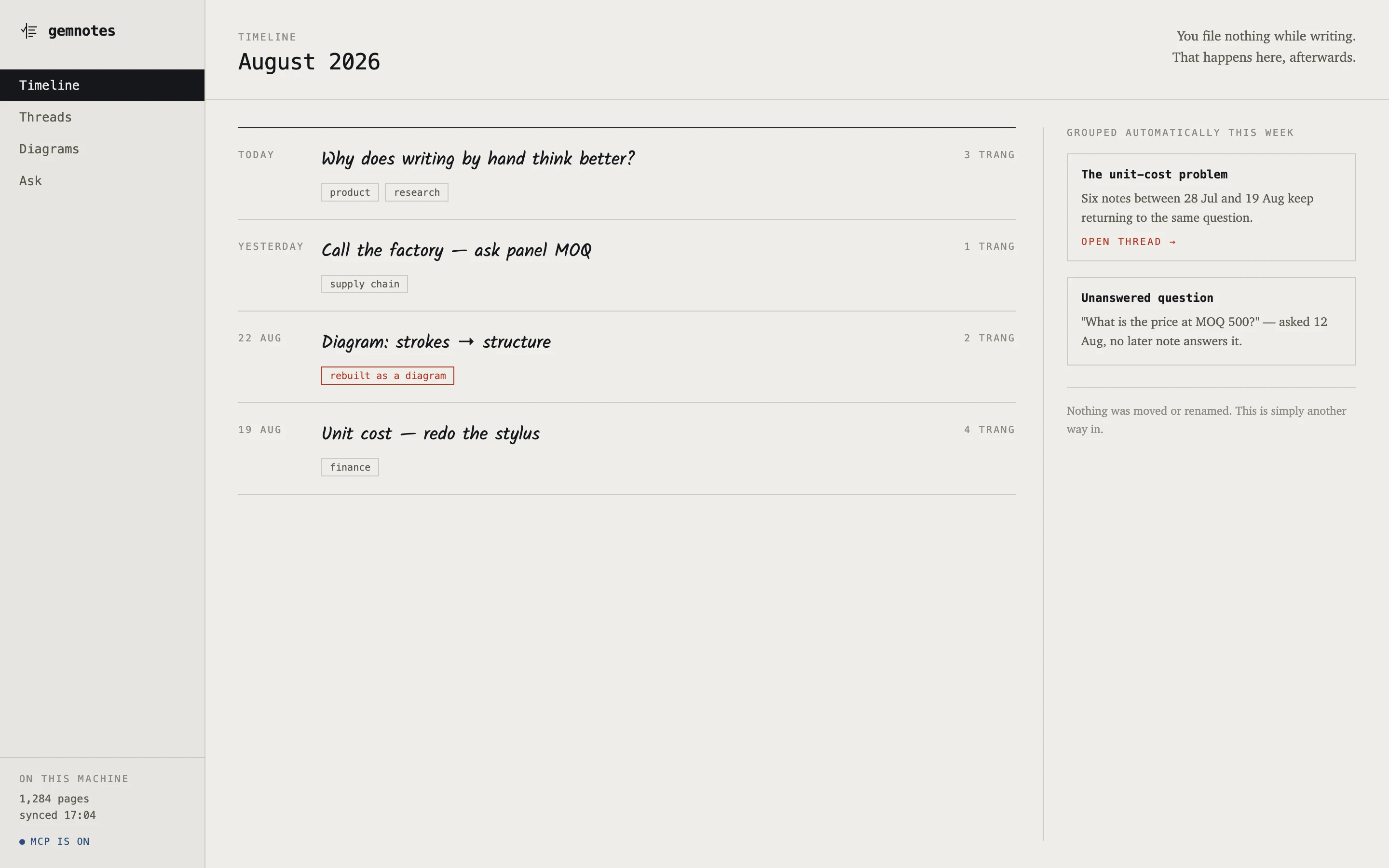
gemnotes timeline listing handwritten notes by date with auto-grouped threads in a side panel
Timeline

Threads — six notes across 23 days, side by side at last

These four notes share no keyword. They were grouped because they circle one unfinished decision — and the open question from 12 August is flagged as still open, because nothing written since answers it.

Rename a thread, split a note out, or dismiss the group. Dismissing deletes nothing.
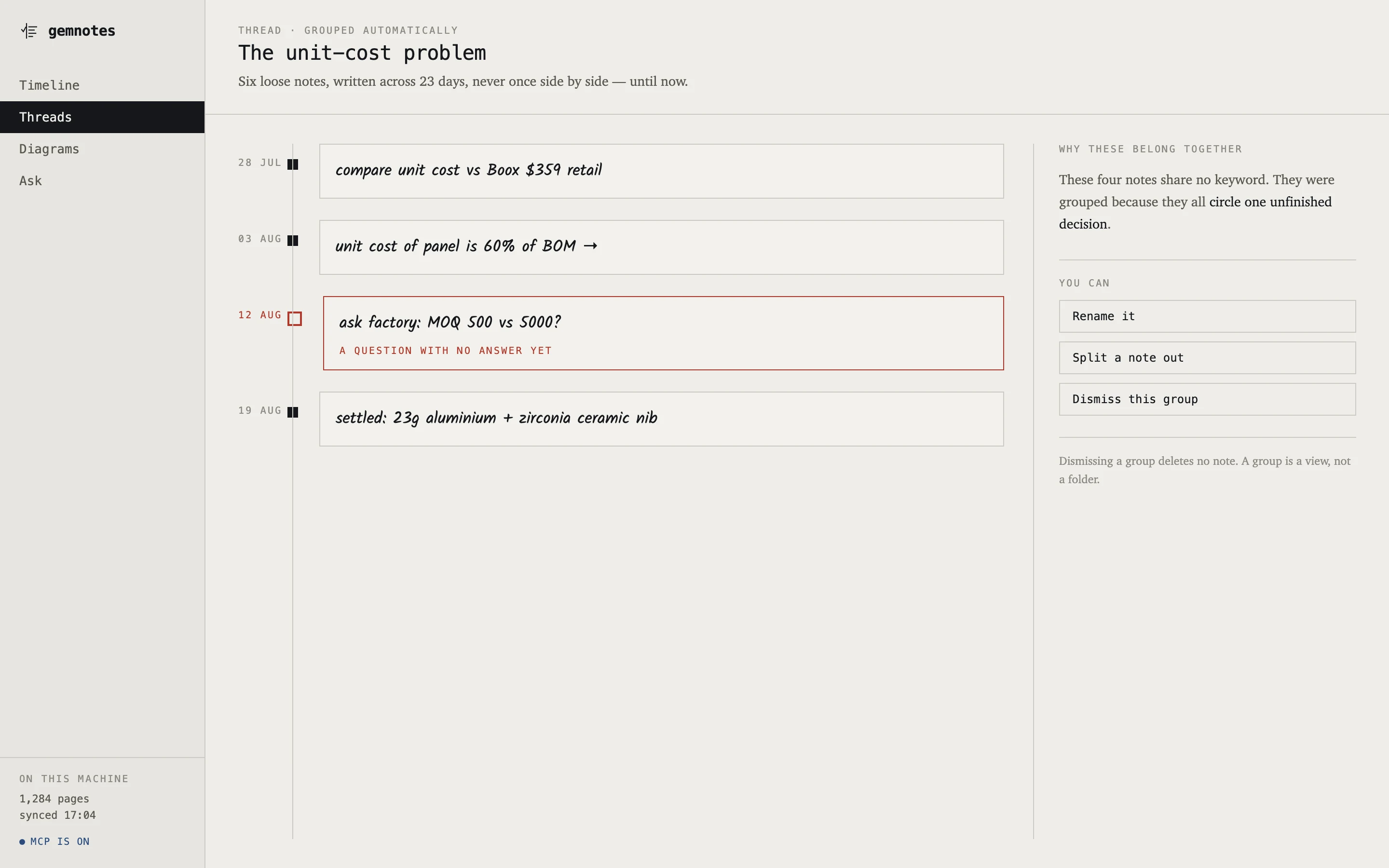
gemnotes thread view showing four handwritten notes on a timeline, one marked as an unanswered question
Threads · grouped automatically
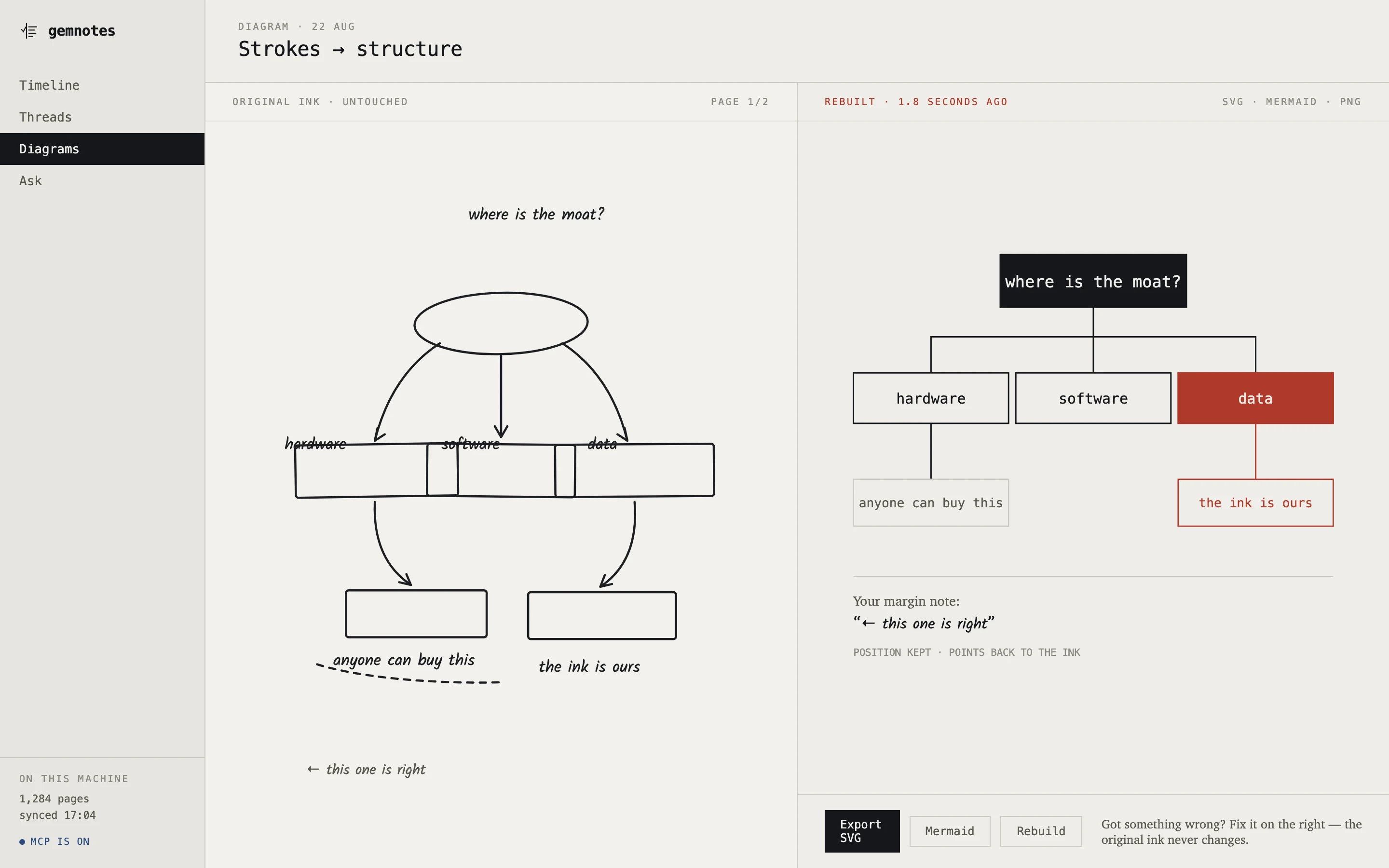
Split screen: a hand-drawn mind map on the left, the same map rebuilt as a clean hierarchy on the right
Diagrams · original ink left, rebuild right — the screen this product is for

A scrawled mind map, cleaned up

Draw it badly — boxes, arrows, one thing circled twice. gemnotes segments the strokes, works out which shape is a node and which is an edge, and lays it out again with a proper hierarchy. Export to SVG, Mermaid or PNG.

NOT RUNNING YET — see the status page.

Your margin note survives

See “← this one is right” in the bottom left of the scrawl? It keeps its position in the rebuild, and it still points back at the strokes you actually drew.

Wrong somewhere? Fix it on the right. The ink on the left never changes.

Ask — you ask in words, it answers in yours

“What did I conclude about the stylus cost months ago?” The answer comes back with the reasoning you actually wrote, the date you settled it, and the question you left hanging — plus the three pages it came from.

No answer that can't be traced back to a real page.
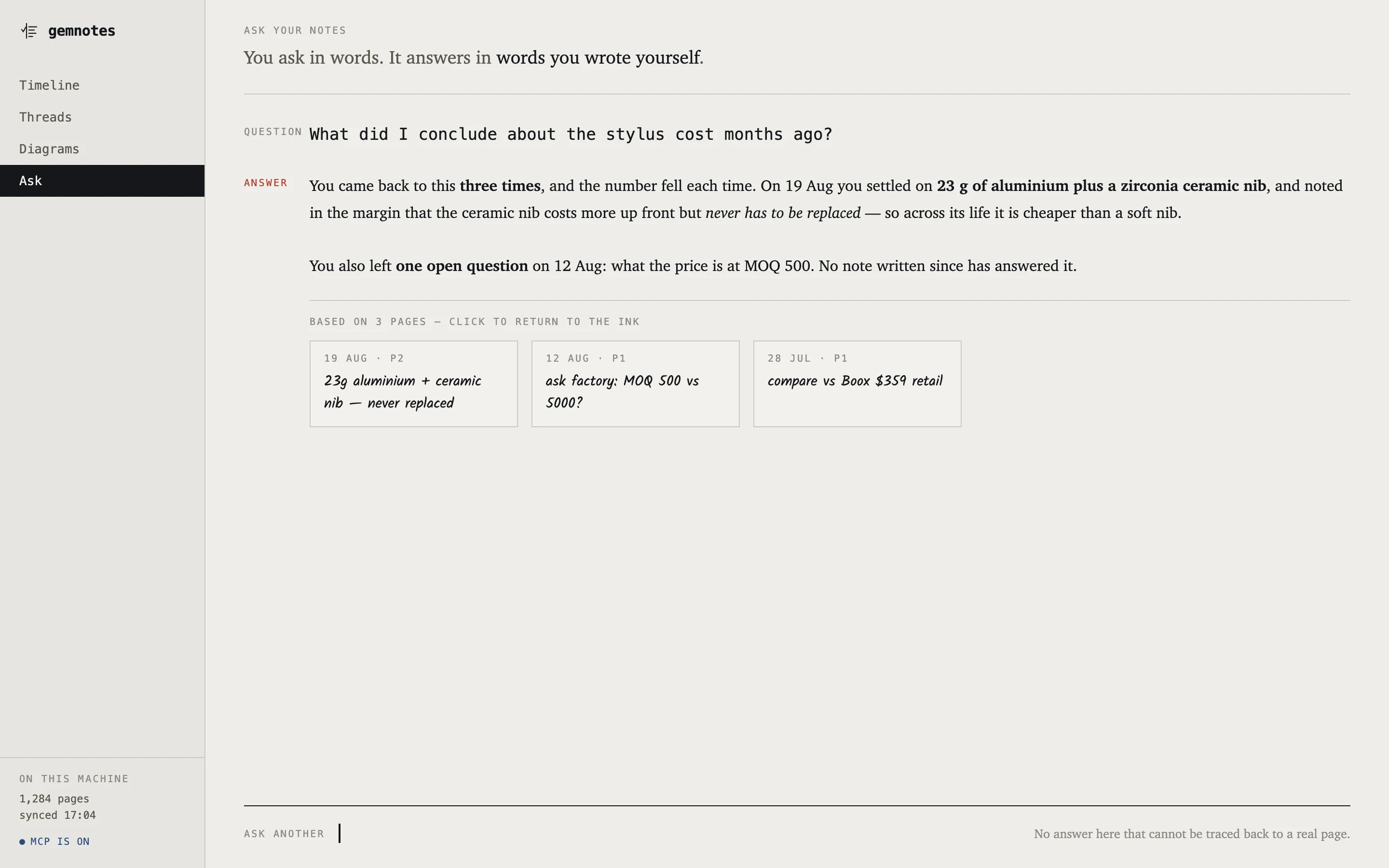
gemnotes ask view: a typed question, an answer in prose, and three source note cards below it
Ask · every claim links back to the ink that produced it

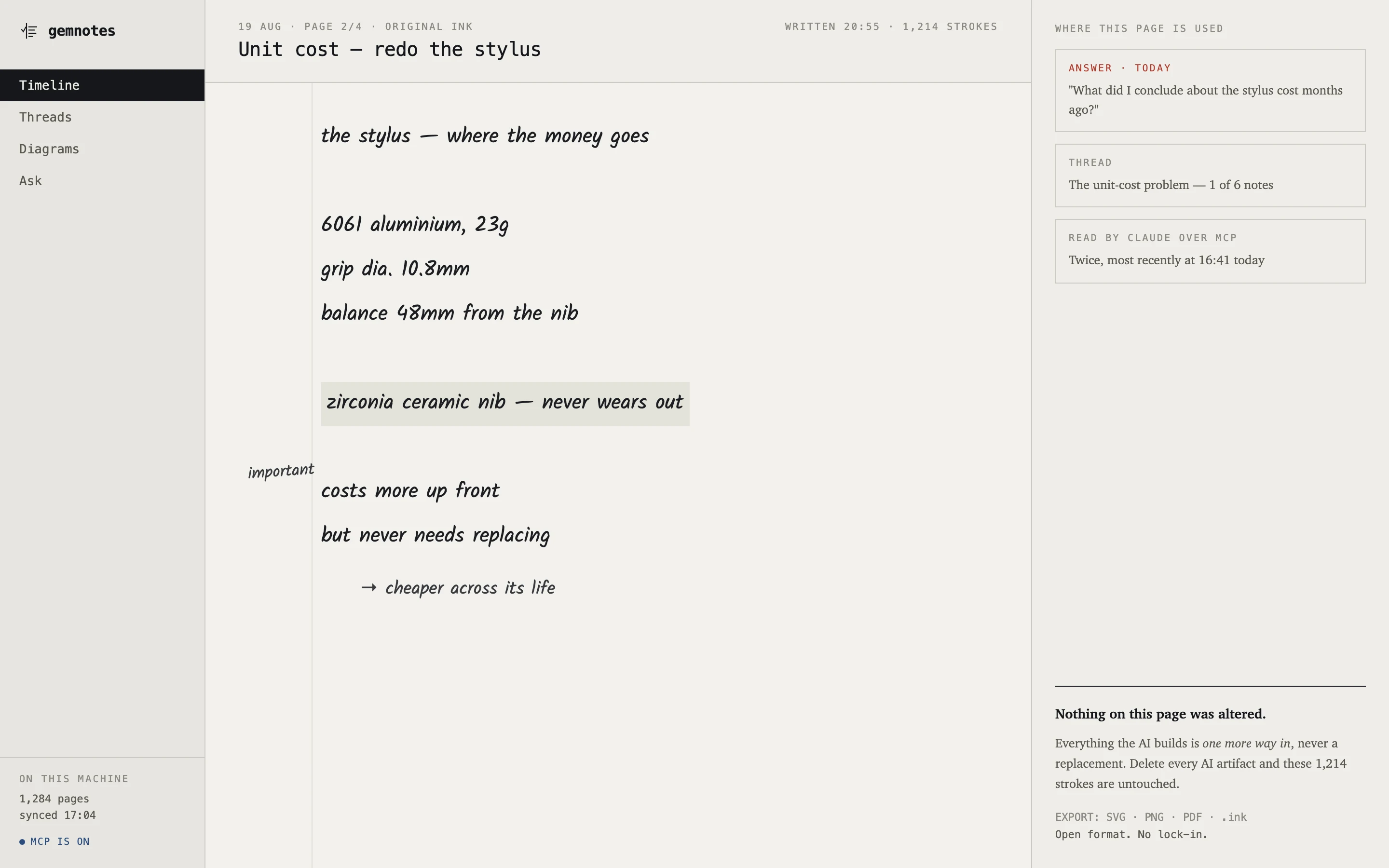
Original ink — the page is the source of truth

Every page keeps its raw strokes. The side panel tells you where this page has been used: which answer cited it, which thread it belongs to, how many times your AI has read it.

Export to SVG, PNG, PDF or .ink. Open format, no lock-in — because nobody pours five years of notes into something they can't get back out of.
gemnotes original ink view showing a handwritten page and a panel listing where it has been used
Original ink · 1,214 strokes, nothing rewritten

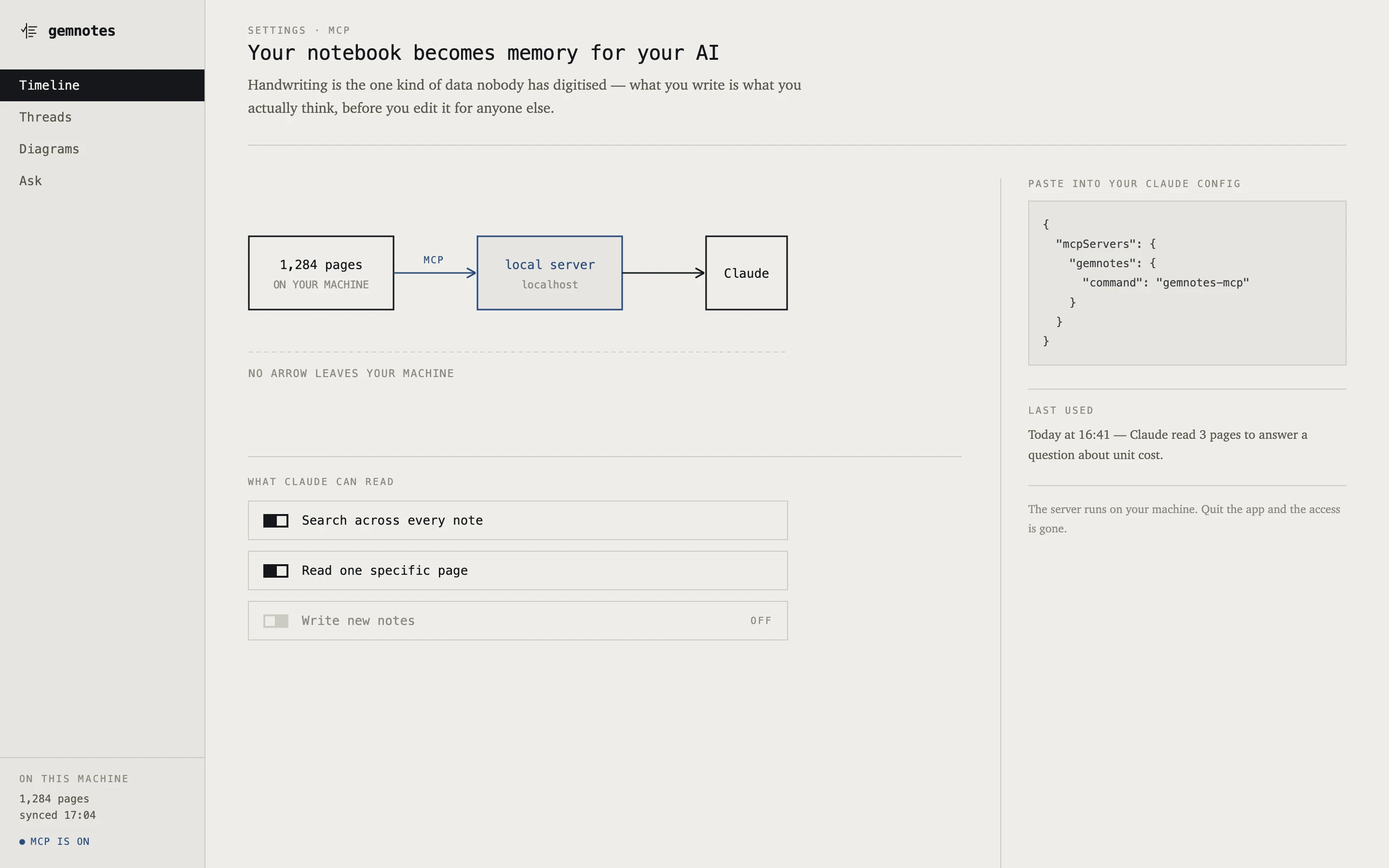
MCP — your notebook becomes memory for your AI

The app opens a local MCP server, so Claude or any other assistant can read your handwritten archive as a knowledge source. Search across every note; read a specific page; writing back is off by default.

Runs on your machine, listens on localhost only. Quit the app and the access is gone.
gemnotes MCP settings: a diagram from pages to a local server to Claude, with permission toggles
MCP · no arrow leaves your machine
How it works

Strokes in. Structure out.
Nothing over the wire.

The tablet records raw ink and hands it over. The expensive step — the vision model — is deliberately the last one, and it only ever sees the regions that need it.

raw strokes x · y · pressure · t Boox · reMarkable files segment, locally group by time + position no model runs here local vision model only the hard regions 127.0.0.1 SQLite + FTS5 one file, copyable across every notebook desktop app search · diagram · ask MCP · localhost Claude reads it YOUR TABLET YOUR COMPUTER — NOTHING LEAVES IT Derived layers can be deleted and rebuilt. The strokes are the only thing that must survive.

Why strokes, not pixels

Keeping the ink gives you free segmentation, cheap local pre-filtering (so only the difficult regions cost a model call), the ability to re-lay-out rather than just re-view, and two-way correction: fix the rebuild, and the fix maps back onto the original strokes.

There is a well-known open-source project doing something similar that has vectors in hand and rasterises them to PNG before calling the model. Everything above is thrown away at exactly that step.

Regions, not whole pages

Strokes are grouped into regions before any model is called, so each piece of recognised text still knows which strokes produced it. Click a search result and it jumps to those strokes — not to “page 3”.

There is no fake confidence percentage anywhere in the product. Two honest states only: MACHINE-READ (always flagged) and HUMAN-CONFIRMED. A model that interprets instead of transcribing is a real failure mode, and it has happened to shipping products in this category.