PRELAUNCH · RUNS ON YOUR MACHINE · NOTHING IS UPLOADED

Your notebook,
finally remembers for you.

You already write by hand because it makes you think. The problem was never the writing — it's that nothing ever came back out. gemnotes reads the ink you have already put on the page and turns years of notebooks into something you can search, restructure and ask questions of.

Reserve the gemnotes device · or download the app for the Boox you own

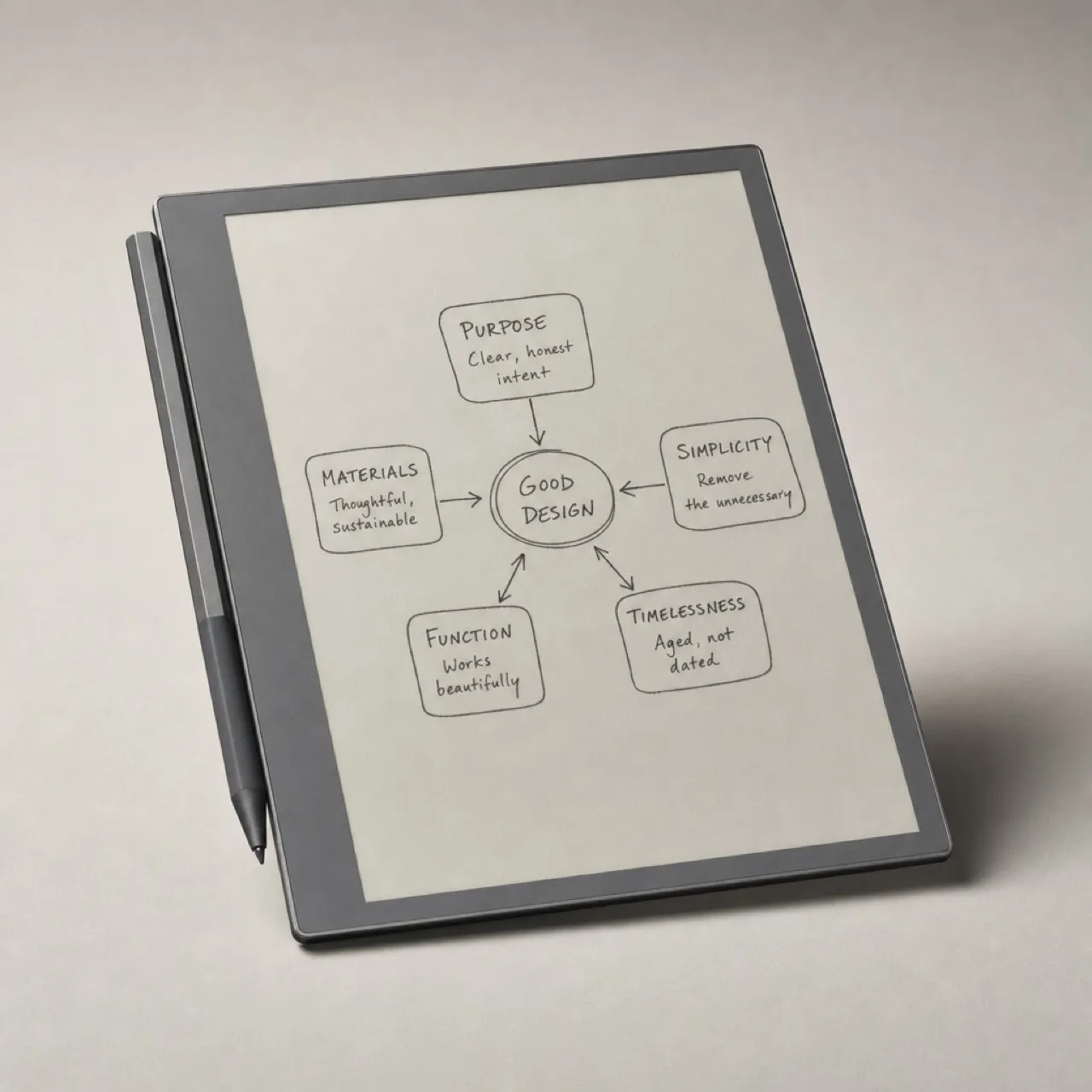
An e-ink tablet on a linen desk mat with a stylus beside it, showing a handwritten page
Concept device render. The screen is a real screenshot of the gemnotes writing surface, composited in — not an illustration of one.
5 msink latency, measured on a Boox Go 10.3 — down from 30 ms in the browser
87.5%of words read exactly right on a real handwritten page
0 bytesleave your machine — the vision model runs on your own hardware
.inkan open, documented stroke format. Export and walk away whenever
The write-only notebook

Ideas go in. Nothing comes back out.

You know you wrote it down. A number, a name, the one good line. It's in one of the notebooks, somewhere, about three months ago. You flip for two minutes, give up, and reconstruct it from memory — badly.

An industry that solved the wrong half

reMarkable, Boox and Supernote have spent a decade competing on how writing feels: lower latency, grippier surfaces, better nibs. That half is close to finished, and they did a good job of it.

Almost nobody is working on what happens after you write.

“None of them offer cross-notebook full-text search. None produce searchable PDFs. None export Markdown. All three companion apps offer: nothing. No REST API. No outbound webhooks.”Independent 2026 teardown of the three major e-ink note platforms
Read why this exists →
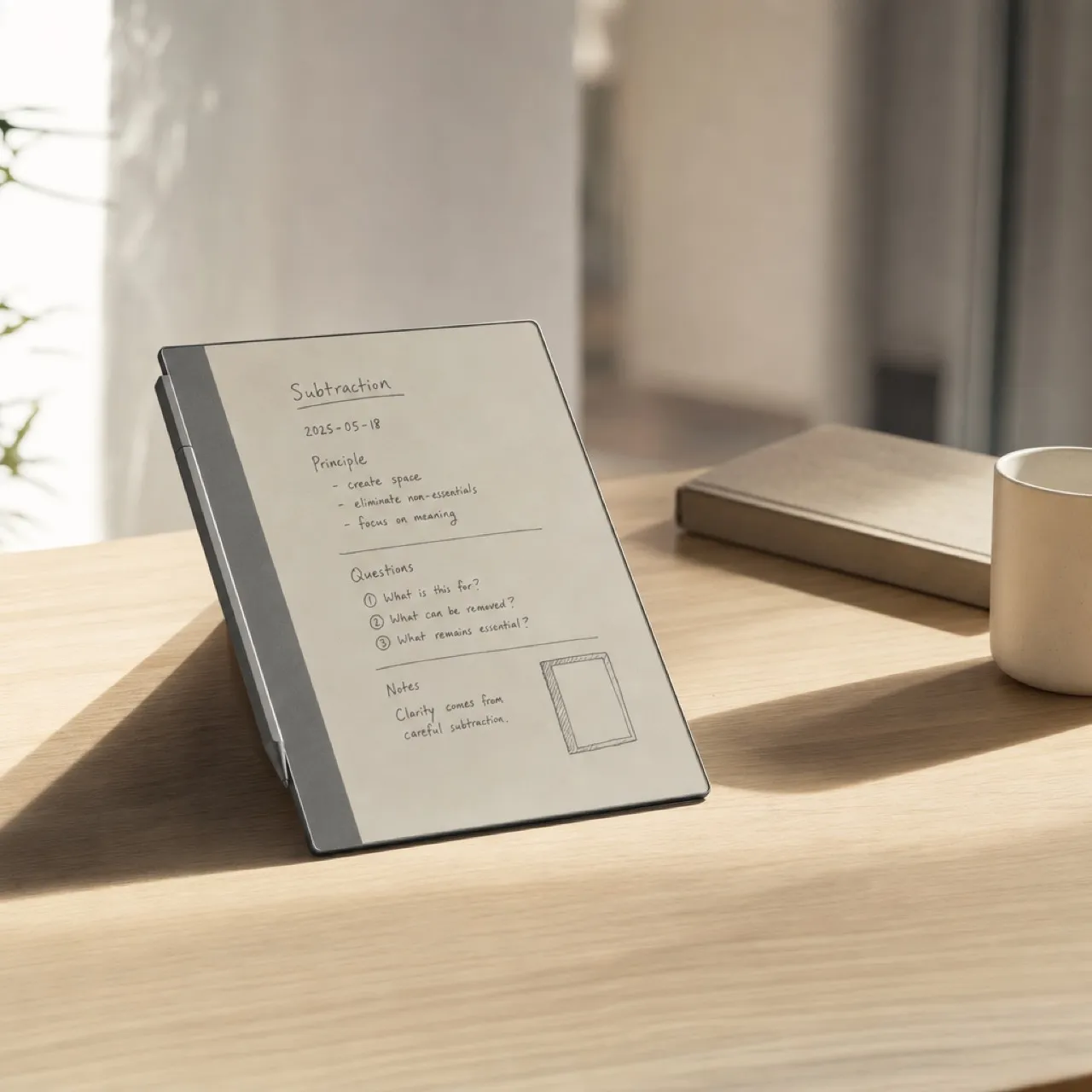
An e-ink tablet propped on a wooden desk in morning light, a page of handwritten notes on screen
Concept device render. Screen content is illustrative.
What gemnotes is

Write by hand. Let the machine sort it.
Find it by asking.

Software that is deliberately not tied to any manufacturer, runs its AI locally, and understands diagrams as well as sentences. The tablet is a door, not the product.

PILLAR 01

Device-neutral, on purpose

Every hardware company builds its own closed stack, because neutrality would be suicide for them. It's the one thing we can build that they structurally cannot copy.

PILLAR 02

Local by architecture

Not “encrypted in transit”, not “we don't look”. The vision model and the index run on your own computer, so there is nothing to leak.

PILLAR 03

It reads diagrams, not just words

Because we keep the raw strokes — including the order you drew them in — gemnotes can tell a box from an arrow from a label. Everyone else flattens the page to a PNG first.

Two surfaces

One on the notebook.
One on your computer.

The tablet records raw ink and hands it over. Everything intelligent happens on the desktop, where there's room for it — and where the model can run without a battery budget.

On the notebook

Open the cover and you're already on a page. No home screen, no grid of apps. Five tools that you swipe in from the left edge and that vanish when you let go.

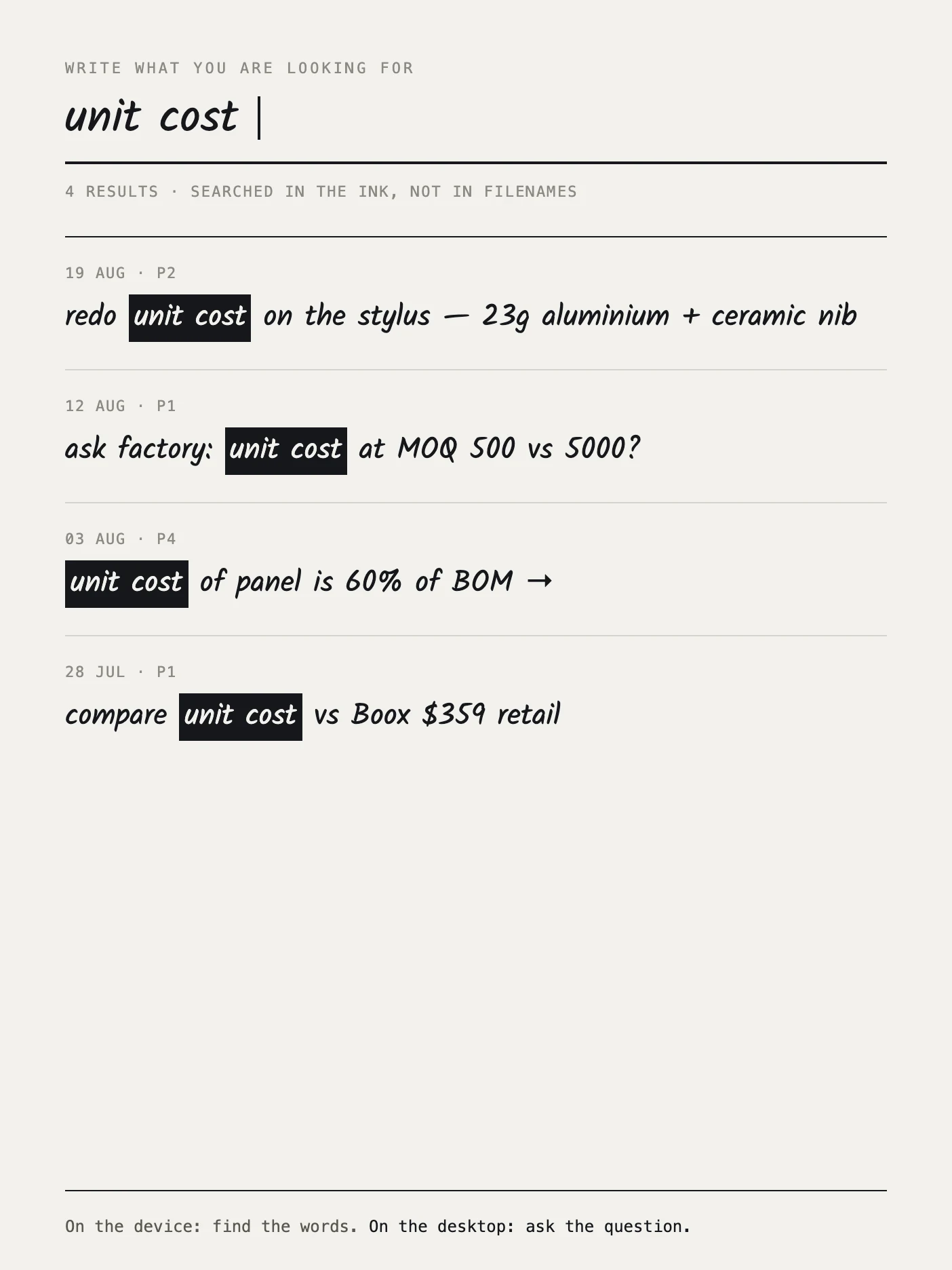
There's a search box on the device too — and it takes handwriting, not a virtual keyboard. Typing on e-ink is the thing that killed Light Phone II.

See the notebook UI →
Search on the e-ink device: a handwritten query and four handwritten results
Find, on the device · the query is written by hand

On the desktop

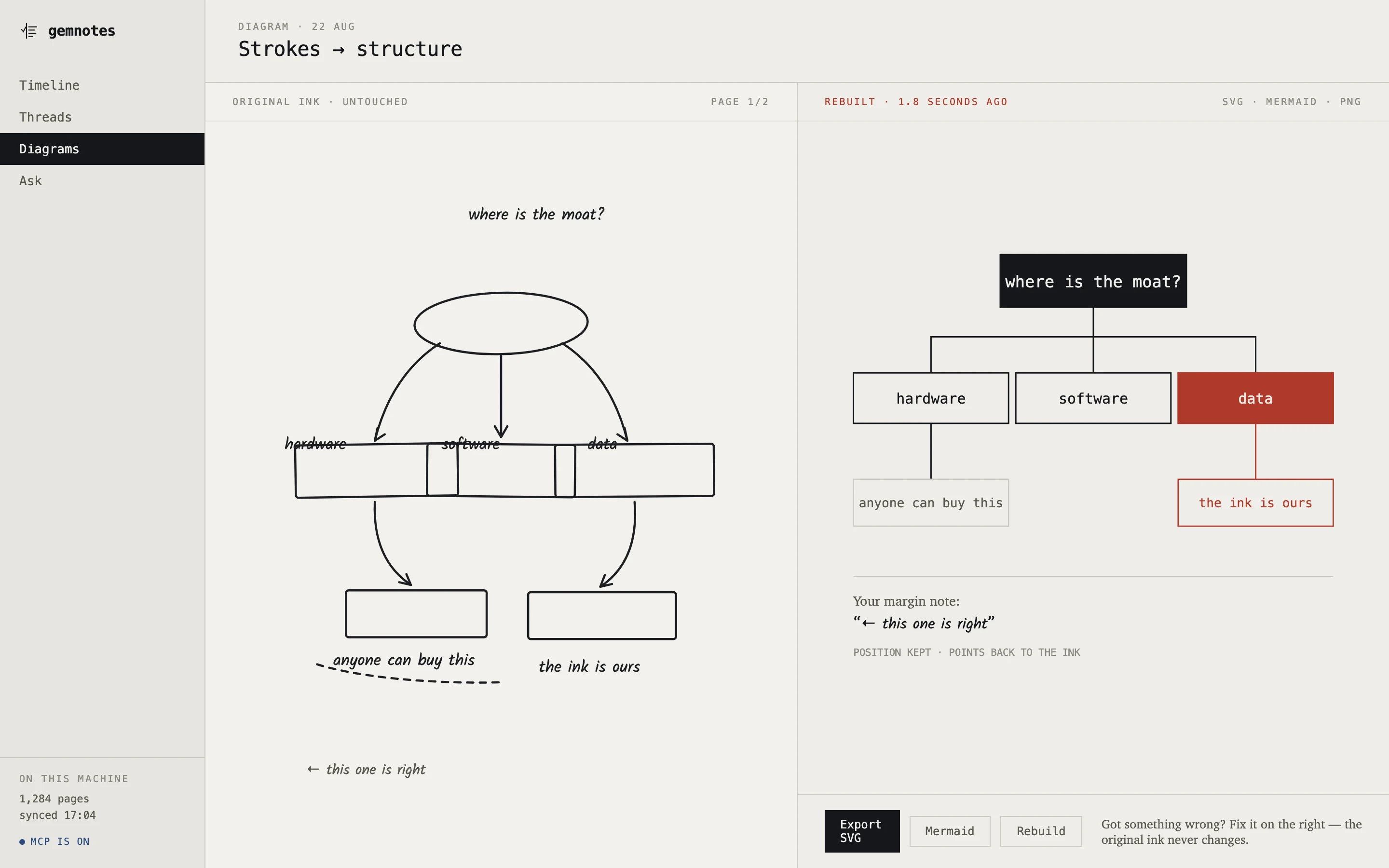
A timeline with no folders, threads it groups by itself, scrawled mind maps rebuilt into something exportable, an ask box that answers in your own words, and a local MCP server so your AI can read the archive.

Every single thing it produces points back at the strokes you actually drew.

See the desktop app →
Split screen: a hand-drawn mind map on the left, the same map rebuilt as a clean hierarchy on the right
Diagram rebuild · original ink left, rebuild right
Three-quarter view of a thin graphite e-ink writing tablet with a matching stylus
Concept render. Not manufactured. See the reservation terms.
The gemnotes notebook · in development

A tablet with nothing on it but a page.

Under 5 mm. 330–360 g. A 23 g battery-free stylus with a zirconia nib that never wears out. No frontlight, no speaker, no camera, no Android, no home screen — all of it removed on purpose, so the money goes into the screen and the pen.

$440 $550 20% EARLY RESERVATION

In development · reservations open · no card required

Honest state

Some of this runs today.
Some of it doesn't.

“The code exists” is not the same as “it works”, and a website is the easiest place in the world to blur the two. So there's a page that doesn't.

RUNNING

Writing, reading, searching

Native capture on Boox at 5 ms ink latency. Real handwriting recognised at 87.5% of words exactly right. Cross-notebook search that lands on the exact strokes. A working MCP server.

NOT YET

Diagram rebuild

The stroke classifier — box vs arrow vs circle vs text — is the next engineering task, and the first attempt scored zero. The screens exist; the rebuild does not.

NOT YET

Hardware

The industrial design is finalised and reservations are open, but no unit has been manufactured. Every image on this site is labelled as a render.

The wishlist

There's no product to buy yet.
Tell us what it has to do.

No launch date, no countdown. This is a wishlist, not a waiting room: the answers below decide what gets built first, and in what order. If you have a drawer of notebooks you can't get back into, tell us how you've tried to solve it — that's genuinely the most useful thing you could send us right now.

Boox reMarkable Supernote Kindle Scribe iPad Paper
Under 50 50–500 500–2,000 More than 2,000 No idea — that's the problem
Search my whole backlog Clean up my mind maps Ask my notes questions Pull out what I promised Index meeting recordings Let my AI read my notes Scan paper notebooks The gemnotes device

One email when there's something real to show. No newsletter, no drip sequence. Your answers go into our own store — no third-party form service in between.